


 BUY NOW AND GET FREE SHIPPING
On all orders over 500,- (DK only)
BUY NOW AND GET FREE SHIPPING
On all orders over 500,- (DK only)
 1-2 DELIVERY DAYS
Order before 12 noon and we will ship the same business day
1-2 DELIVERY DAYS
Order before 12 noon and we will ship the same business day
 14 DAY RETURN RIGHT


Bambu Lab
Bambu 3D Effect Printing Plate for Bambu Lab A1 Mini
Bambu 3D Effect Printing Plate for Bambu Lab A1 Mini
Couldn't load pickup availability
4 in stock : 1-2 weekdays


Free shipping on orders over 500 DKK in DK

Ships from Roskilde DK

Local service center in Roskilde

1 year warranty

Customer Service
Email: hello@3dsaga.com
Phone: +45 69 15 31 11
All weekdays from 10:00 - 15:00
Showroom:
Monday - Thursday: 09:30 – 15:30
Friday: 09:30 – 15:00
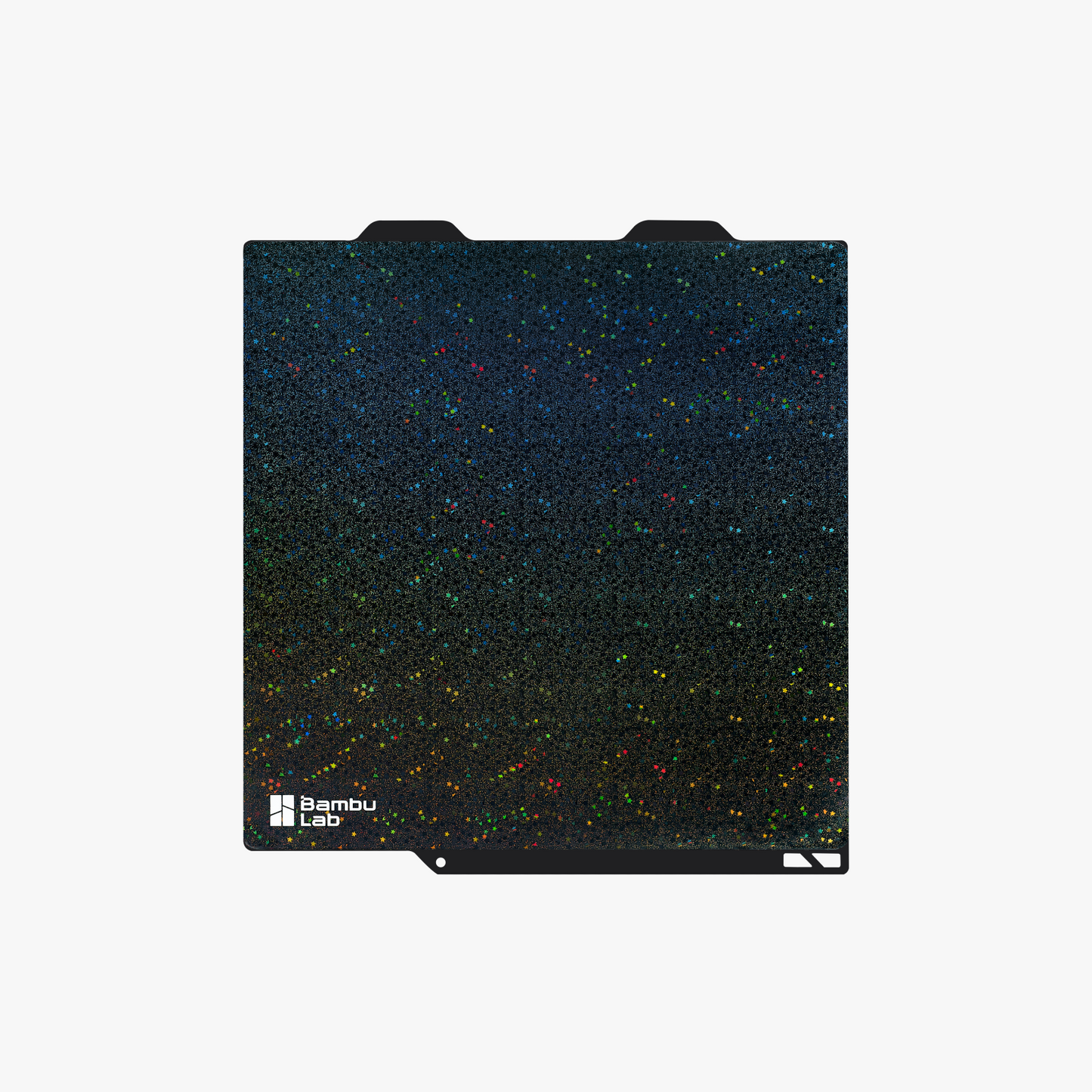
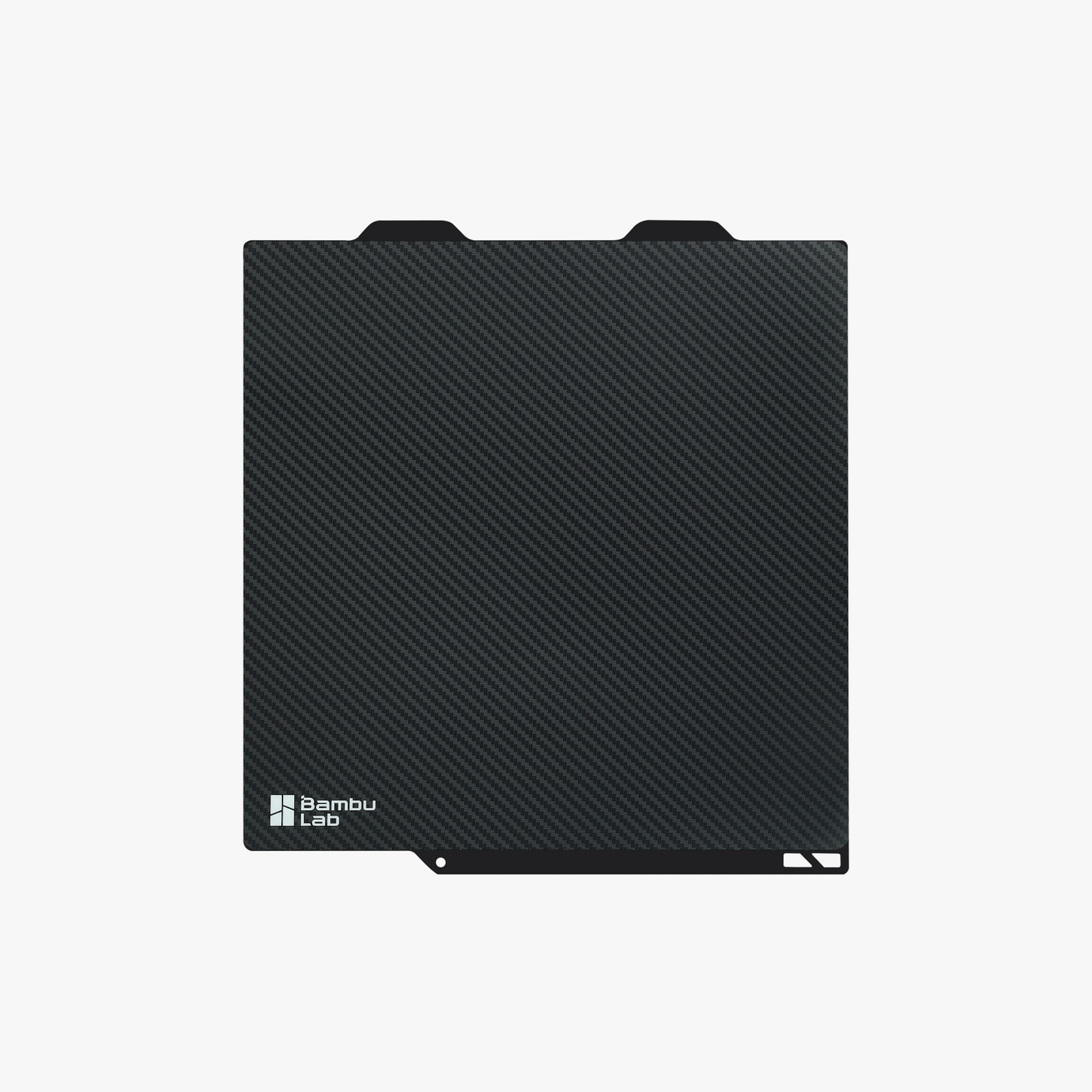

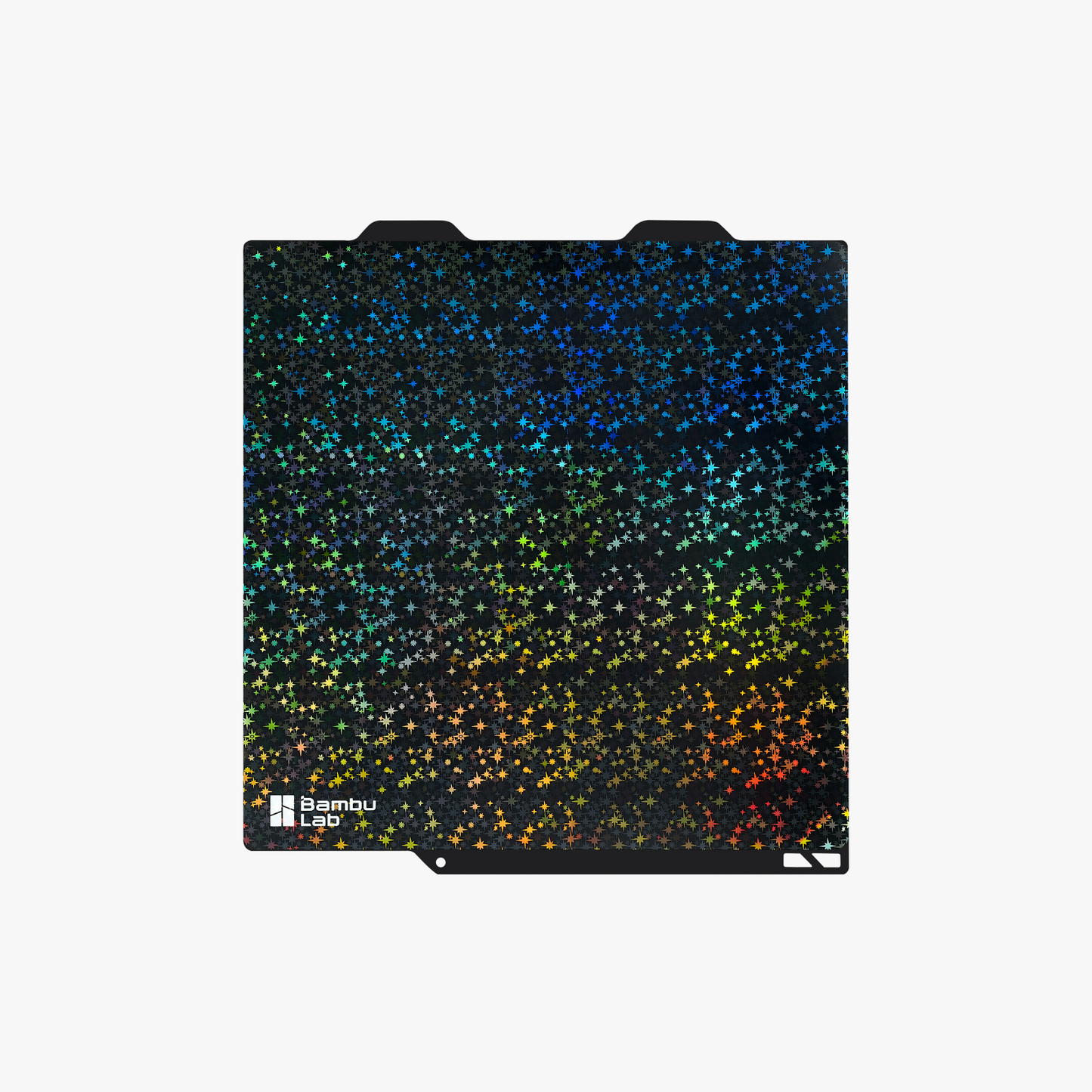
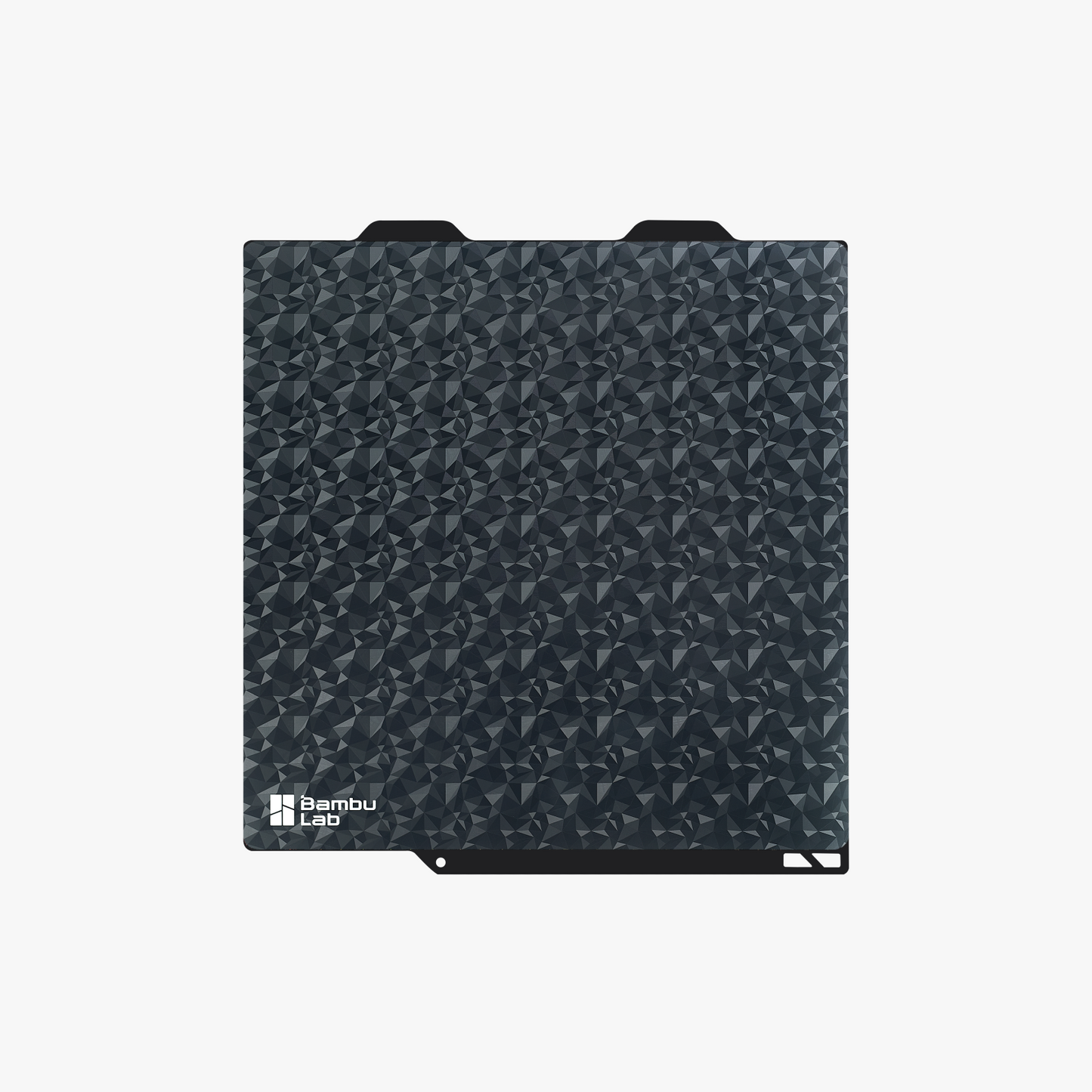
Bambu 3D Effect printing plate for Bambu Lab A1 Mini
Each 3D effect board comes with 3D effect sheets pre-mounted on both sides. In addition, two additional sheets of the same texture are included where indicated (limited stock).
See printed circuit boards with 3D effect for others Bambu Lab
| Texture | Compatibility | Extra sheets included? |
|---|---|---|
| Carbon Fiber | X1 / P1 / A1 | No |
| Carbon Fiber | A1 mini | No |
| Diamond | X1 / P1 / A1 | No |
| Diamond | A1 mini | Yes |
| Starry | X1 / P1 / A1 | Yes |
| Starry | A1 mini | Yes |
| Galaxy | X1 / P1 / A1 | Yes |
| Galaxy | A1 mini | Yes |

Bamboo 3D Effect Plate – Add Texture & Character to Your Prints
Make your 3D prints unique with the Bambu 3D Effect Plate – designed to transfer exciting surface textures directly to the first layer of your models. This plate gives your prints an eye-catching look with textures like Carbon Fiber , Diamond , Starry and Galaxy .
Using special pre-treated foils, the board creates visual effects that catch the light and provide a distinctive surface finish – without any additional finishing.

Galaxy Surface
The Galaxy surface creates a vibrant rainbow-like appearance with shimmer and color shifts that change depending on the viewing angle. The effect is most pronounced when using silk or glossy filaments , which accentuate the holographic pattern.

Carbon Fiber Surface
The Carbon Fiber surface has a light texture reminiscent of real carbon fiber. The pattern is transferred to the first layer of your 3D printed model, creating a distinctive 3D effect with a unique structure. This is especially effective when used with gray carbon fiber filament, which highlights the details and gives a professional finish.

Starry Surface
The Starry Surface creates a unique starry sky effect with a rainbow kaleidoscope pattern on the first layer of your 3D print. The surface shimmers and changes color depending on the angle, creating an eye-catching result. This effect works best with silky or shiny filaments, which highlight the full potential of the pattern.

Diamond Surface
The Diamond surface embosses the first layer of your 3D print with a diamond pattern that combines both glossy and matte shapes on a smooth surface. This unique texture highlights details and provides a premium finish. It works best with silky or shiny filaments, which make the pattern stand out.

How to install the 3D Effect Spare Sheet
Tips for installing 3D Effect Replacement Sheets
-
The STL file for the “Fixture tool” shown in the video can be downloaded here!
Important Notes:
-
For best results, we recommend only using the 3D Effect replacement sheet on the official steel plate from Bambu Lab.
-
Bambu Engineering Plate (the back of Bambu Cool Plate/High Temp Plate) can also be used for 3D Effect Sheets. If you want to apply a 3D Effect replacement sheet to an existing plate, make sure to remove the previous sheet and clean all adhesive residue thoroughly. Make sure the surface is completely dry and clean before applying the replacement sheet.
-
Set the plate type to Smooth PEI/High Temp Plate and carefully follow the recommended heating plate settings when using the Bambu 3D Effect Plate.
-
The patterns on the 3D Effect sheet require a clean surface to remain clear. Grease and dirt can cause the patterns to disappear. We recommend cleaning with warm water and mild detergent, and avoid touching the surface with your fingers.
Important considerations when using 3D Effect Sheets
-
Due to reflections, LIDAR calibration does not work optimally with Effect Sheets. We therefore recommend skipping LIDAR calibration or calibrating with a regular sheet.
-
3D Effect Spare Sheets are considered consumables. To extend the life of the texture transfer, it is recommended to place your prints on different areas of the sheet.
-
Avoid applying glue to the surface of the sheet.
-
Be extra careful when using a scraper to remove prints to avoid damage to the sheet surface.
Recommended Settings
We recommend using PLA and TPU filament for printing with the 3D Effect Plate. Please note that other slicer settings may need to be adjusted depending on the model being printed and the filament specifications. Please select Smooth PEI Plate or High Temp Plate as the plate type in Bambu Studio.
| Filament | Hotplate Temperature |
|---|---|
| PLA | 60–65°C |
| TPU | 35–45°C |
Product Specifications
-
Material: Metal
-
Color: Black
-
Package weight: 0.32 kg
-
Package size:
-
282 x 264 x 11 mm (for X1 Series, P1 Series, A1)
-
190 x 200 x 12 mm (for A1 mini)
-