


 BUY NOW AND GET FREE SHIPPING
On all orders over 500,- (DK only)
BUY NOW AND GET FREE SHIPPING
On all orders over 500,- (DK only)
 1-2 DELIVERY DAYS
Order before 12 noon and we will ship the same business day
1-2 DELIVERY DAYS
Order before 12 noon and we will ship the same business day
 14 DAY RETURN RIGHT

Kunne ikke laste inn hentetilgjengelighet
4 på lager : 1-2 virkedager


Customer Service
Email: hello@3dsaga.com
Phone: +45 69 15 31 11
All weekdays from 10:00 - 15:00
Showroom:
Monday - Thursday: 09:30 – 15:30
Friday: 09:30 – 15:00
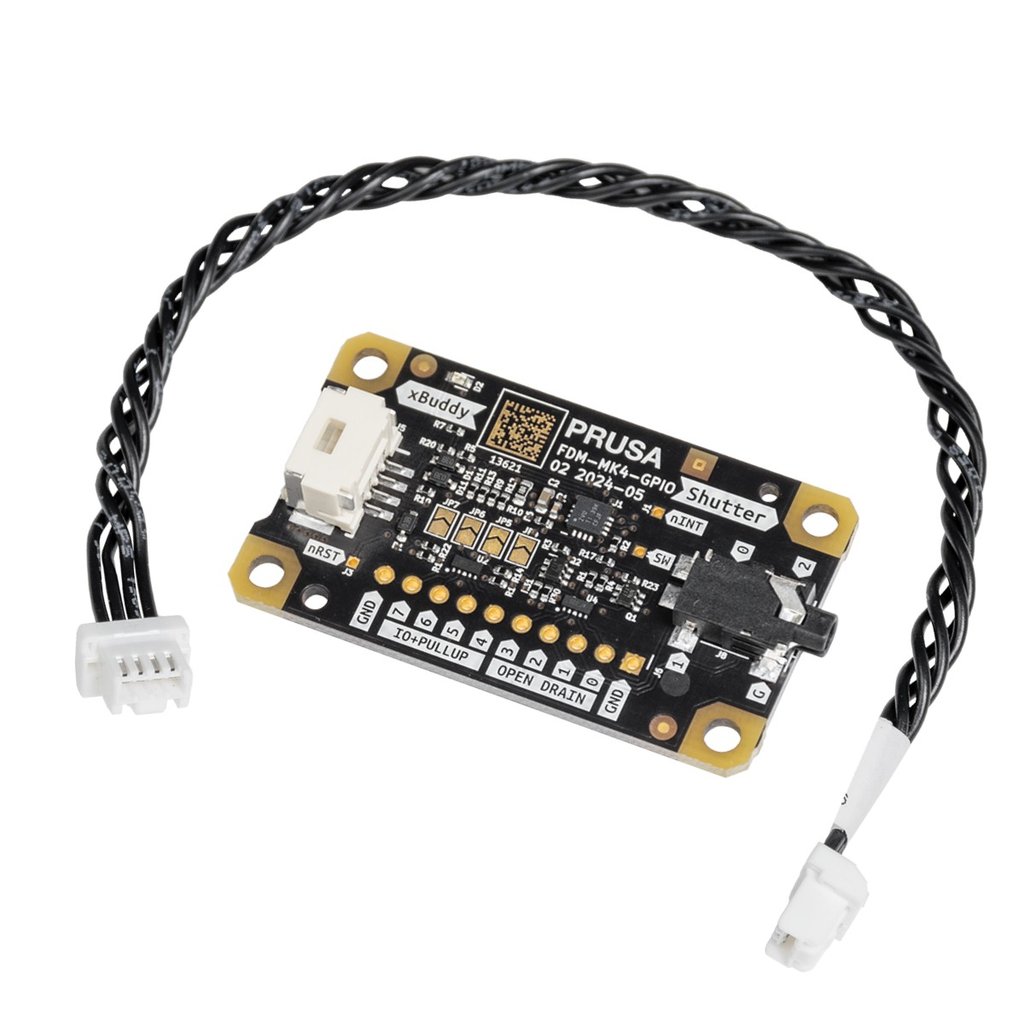
The GPIO module is a great tool for modders, hackers, and tinkerers who love to add new features to their 3D printers. It connects to the I2C port on the xBuddy board of your Original Prusa MK4/S, MK3.9/S, or MK3.5/S, allowing you to control and receive input from external devices.
You can create a trigger for your camera to take precise timelapse images, control external LED lighting to alert you with different colors when the printer is finished printing or requires attention, adjust fan speed, control servos, activate cabinet functions, and much more – you name it! All you need is a connected GPIO module and a custom G-code command that can be executed on a specific layer, at the start or end of a print, or during other events. You can set all commands directly in PrusaSlicer.
You can also integrate a button or macro keyboard and assign each key to execute specific G-code scripts, stored in the printer's USB drive, allowing you to control various printer functions, such as setting the printer to a ready state, managing the print, adjusting temperatures, or performing other actions.
