


 BUY NOW AND GET FREE SHIPPING
On all orders over 500,- (DK only)
BUY NOW AND GET FREE SHIPPING
On all orders over 500,- (DK only)
 1-2 DELIVERY DAYS
Order before 12 noon and we will ship the same business day
1-2 DELIVERY DAYS
Order before 12 noon and we will ship the same business day
 14 DAY RETURN RIGHT


Couldn't load pickup availability
2 in stock : 1-2 weekdays


Free shipping on orders over 500 DKK in DK

Ships from Roskilde DK

Local service center in Roskilde

1 year warranty

Customer Service
Email: hello@3dsaga.com
Phone: +45 69 15 31 11
All weekdays from 10:00 - 15:00
Showroom:
Monday - Thursday: 09:30 – 15:30
Friday: 09:30 – 15:00


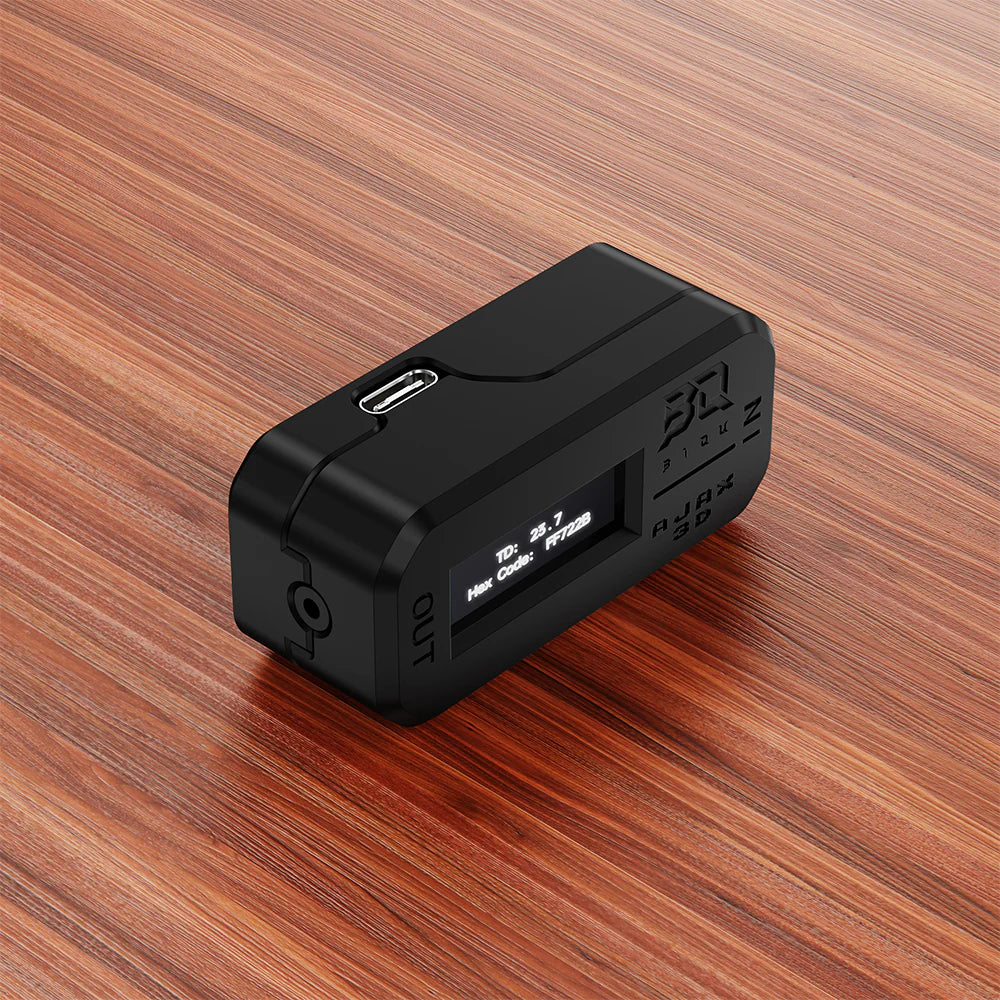
BIQU - Ajax TD1S
Hex Code Reader
The BIQU AJAX TD1S is a precision tool that eliminates guesswork in multi-color 3D printing. By rapidly measuring both light transmission (TD) and HEX color codes, users can build accurate material libraries for software like HueForge. This compact device ensures that what you see on your screen truly matches your finished print, delivering professional and photorealistic results every time.
Highlights
- Measures filament light transmission (TD) with an accuracy of ±7.5%
- Instantly finds and stores precise HEX color codes for digital workflows
- Seamlessly integrates with HueForge to avoid manual calibration errors
- Built-in OLED display provides instant measurements without needing a computer
- Offers both Quick Capture and Continuous Capture modes for flexible testing
- Powered via USB-C for easy integration into any modern setup
Precise data for HueForge artists
For anyone working with "filament painting" or complex layered color prints, the BIQU AJAX TD1S is an indispensable aid. Instead of relying on arbitrary tables or trial and error, you can now measure the precise opacity of your specific spool. The device accurately calculates how light penetrates the material, giving you the precise TD value needed to achieve perfect color transitions in HueForge.
Instant color recognition
Matching colors across different brands or batches can be challenging. The TD1S solves this by recording the filament's true color and providing a HEX code. This allows for precise material profiles to be imported into your slicer or design program, making your digital previews as true to life as possible.
Flexible workflow and standalone use
Whether you need to quickly check a new spool or monitor filament consistency during a long print, the TD1S adapts to your needs. Quick Capture mode is perfect for rapidly building a library, while Continuous Capture lets you monitor the filament in real-time. Thanks to the built-in OLED screen, you don't even need to be connected to a computer to get your data – just plug in a USB-C power source and start measuring.
